

Support
Setup & Support
Get Reporter AI running, pair your Sensor, download the app, and fix the most common setup issues.
Quick Setup
Start here if you just opened the box.
Download App
Open the QR page for Reporter App links.
Full Manual
Read or download the complete PDF manual.
Specifications
Review range, battery, power, and system details.
Privacy Policy
Read how Reporter handles images, alerts, and data.
Troubleshooting
Fix pairing, alerts, sound, and image downloads.
Quick Setup Guide
Set up and test the system indoors before mounting the Sensor outside. Normal local alerts do not require Wi-Fi.
- 1Install 4 AA batteries in the Hub for backup power.
- 2Plug the Hub into the included USB-C power adapter.
- 3Read and agree to the Terms of Use on the Hub.
- 4Install 2 C-cell batteries in the Sensor.
- 5Keep the Sensor within 3 feet of the Hub.
- 6Pair the Sensor from the Hub settings.
- 7Wave your hand in front of the Sensor to test it.
- 8Mount outside only after an image appears on the Hub.
Watch It In Action
Open the real Demo 2 page to watch how Reporter AI detects motion, verifies the target, and shows the alert on the Hub.
Watch Demo 2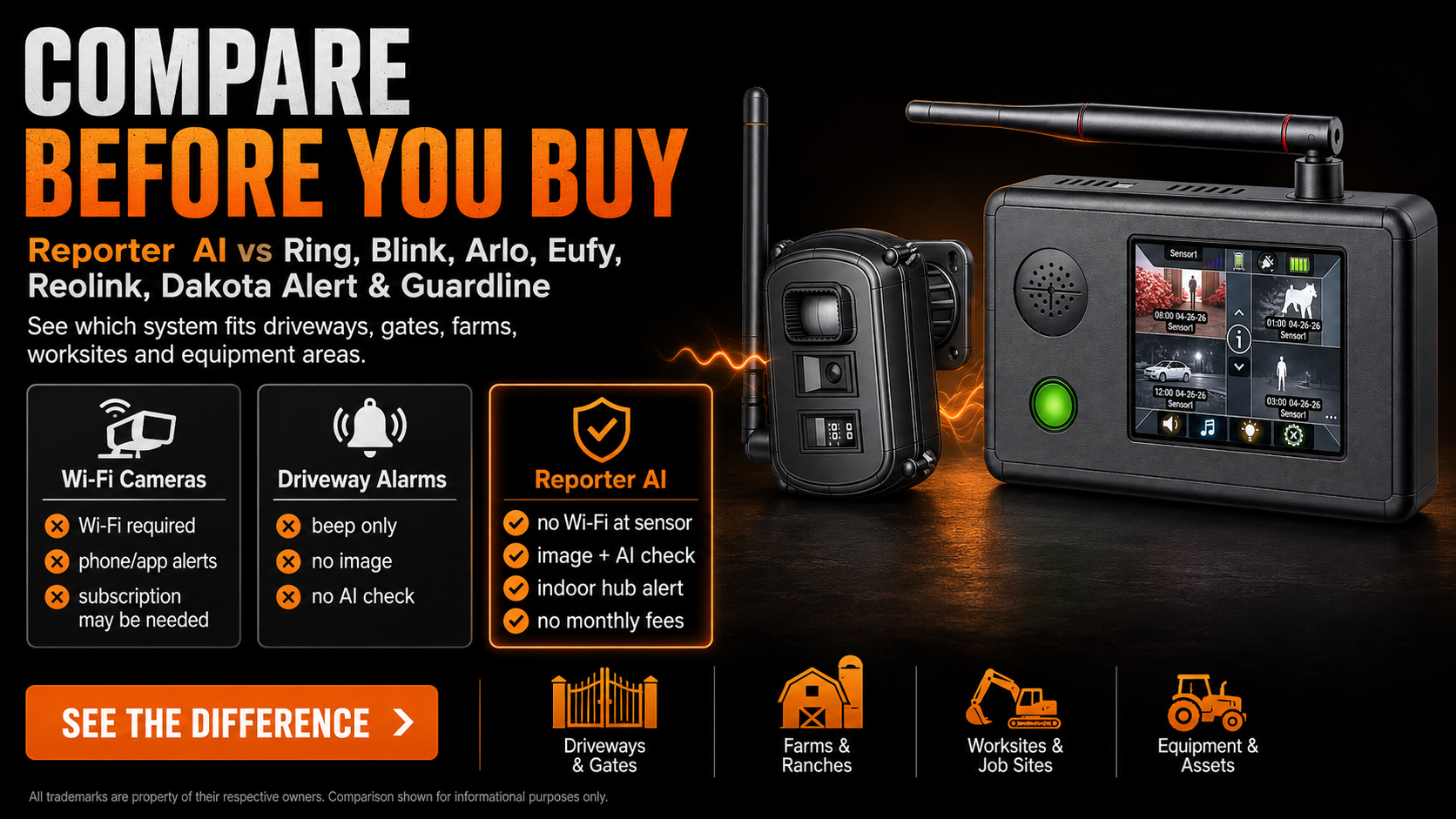
Compare Systems
Not sure how Reporter compares?
See how Reporter AI compares with Ring, Blink, Arlo, Eufy, Reolink, Dakota Alert, Guardline, and other driveway alarm systems.
Full Instruction Manual
The complete manual includes diagrams, detailed settings, warranty, safety notes, and regulatory information.
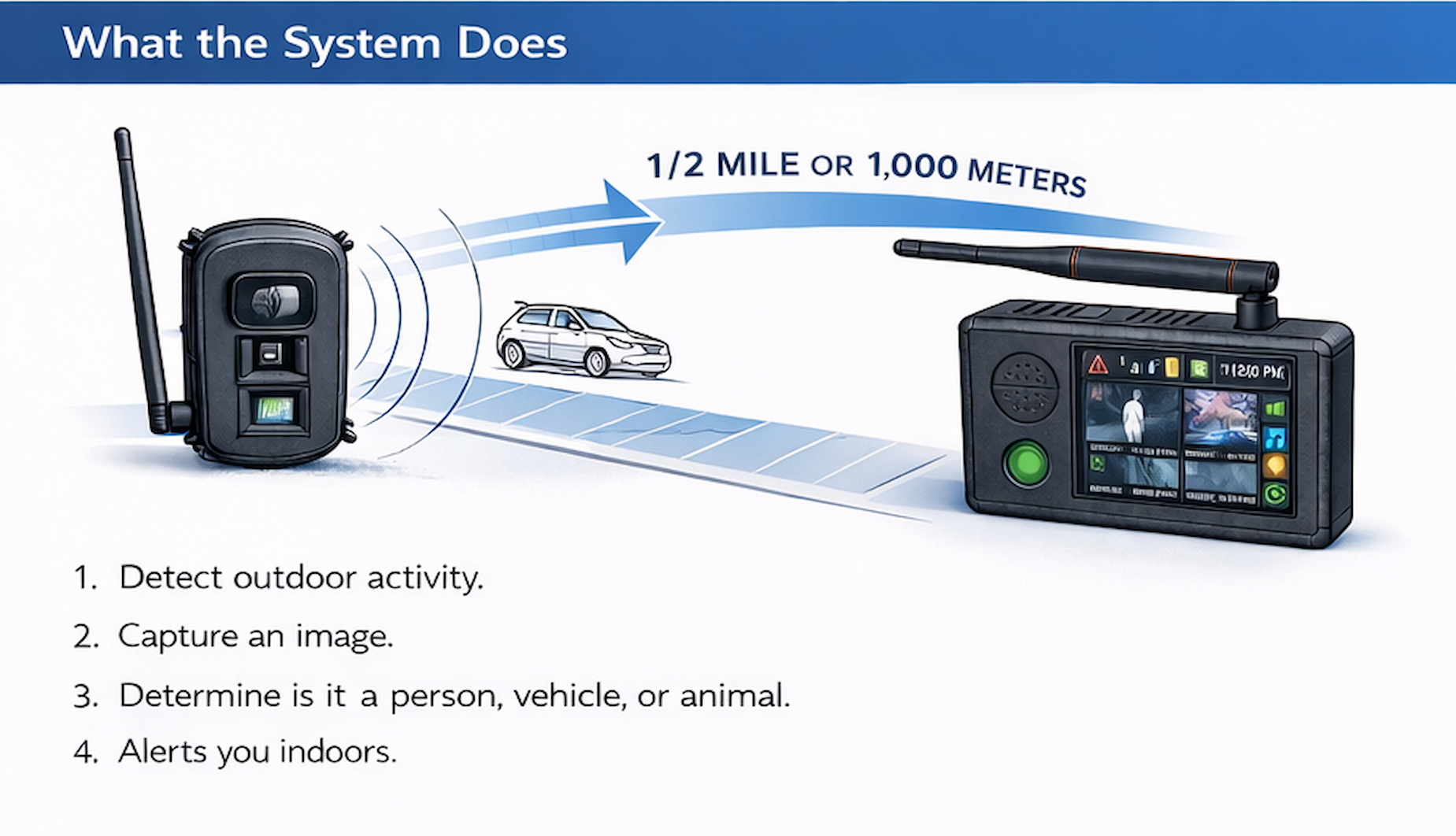
Range: Tested open-air range at 1000 m
Battery: 5–7 years of normal-use battery life*
*Designed for 5–7 years of normal use with the recommended battery type, at up to 10 triggers per day and approximately 30,000 transmitted images. Actual life varies with battery type and condition, temperature, use frequency, and installation conditions.
Reporter App
Use the Reporter App if you want mobile App Alerts. The Hub must be within range of your Wi-Fi router for App Alerts.
Open App Download PageiPhone
App Store
Open the app download page to scan and install on iPhone.
Android
Google Play
Open the app download page to scan and install on Android.
Setup Topics
Common Tasks
Pair Sensor and Hub
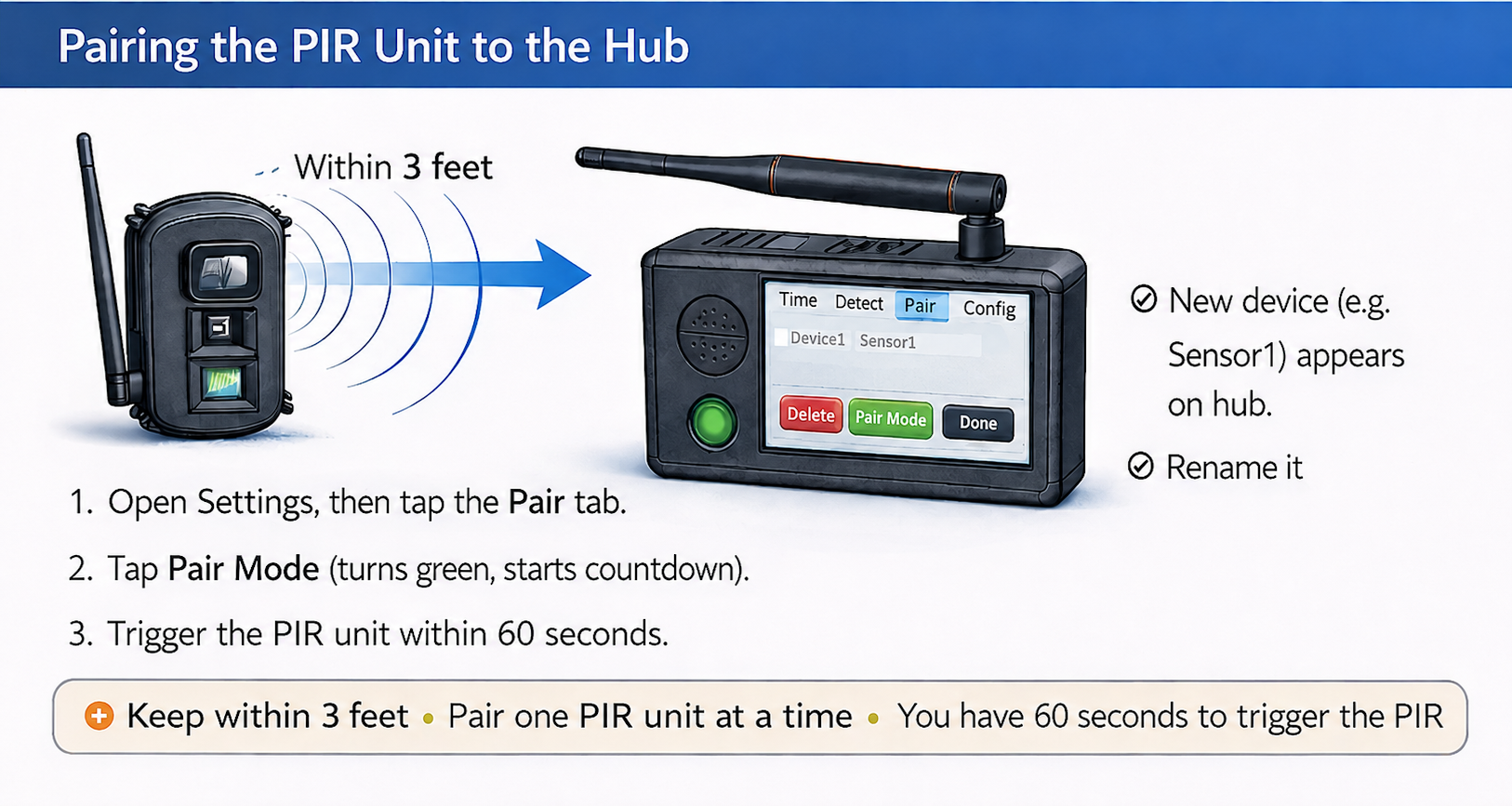
- Pair while the Sensor is within about 3 feet of the Hub.
- On the Hub, tap the information icon, then Settings.
- Tap Pair, then Pair Mode. The Pair Mode button turns green.
- Within 60 seconds, trigger the Sensor or insert its batteries.
- Wait for the Sensor to appear, name it, tap Done, then test before mounting.
Mount and Aim
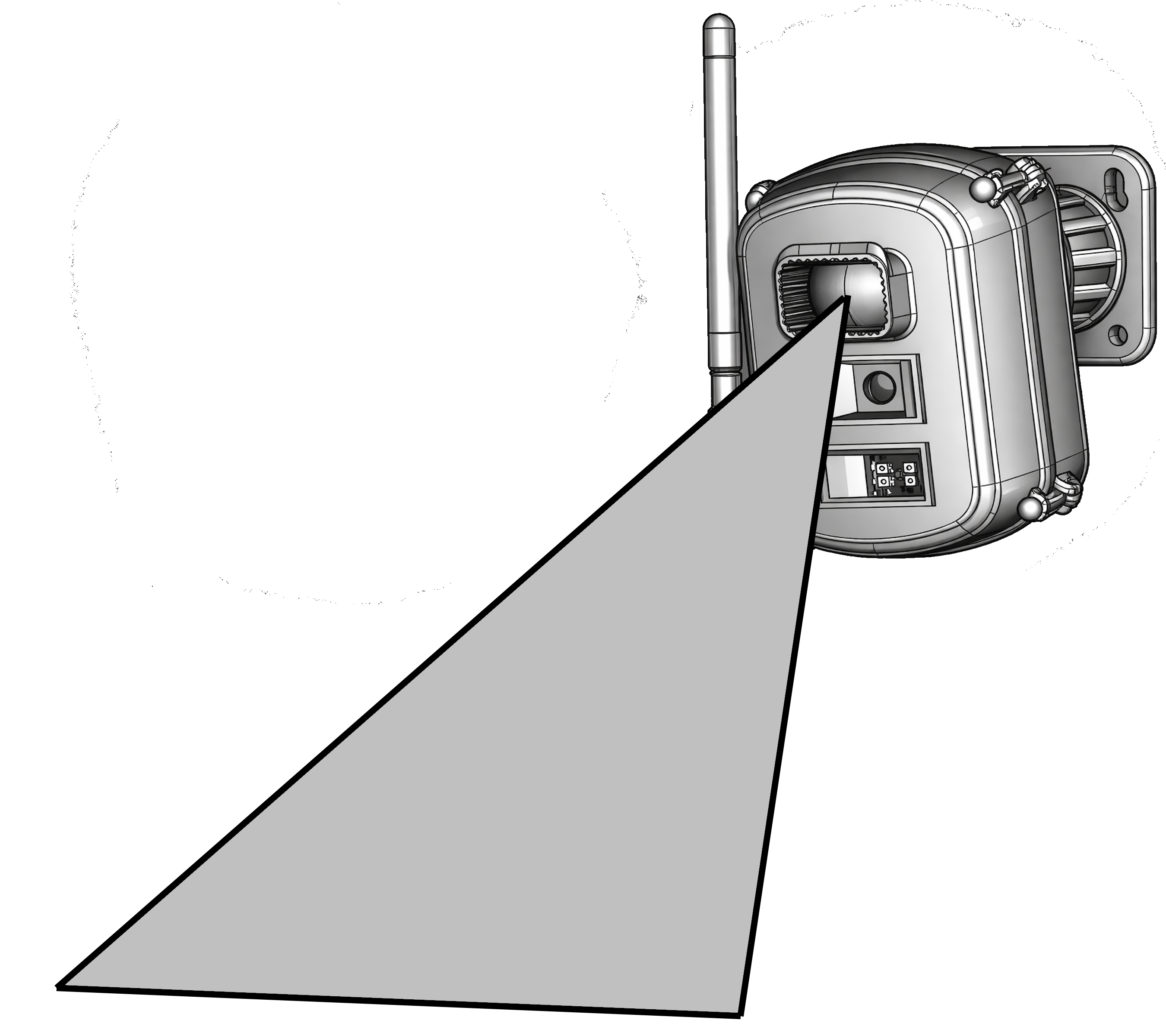
- Keep the Sensor antenna vertical for best range.
- For people and vehicles, mount about 6 to 10 feet high and aim level or slightly downward.
- For small animals, mount about 2 to 4 feet high.
- Aim across the driveway or path when possible, not straight at approaching motion.
- Avoid moving branches, direct sun into the front, sprinklers, and heavy metal obstructions.
Gimbal Assembly
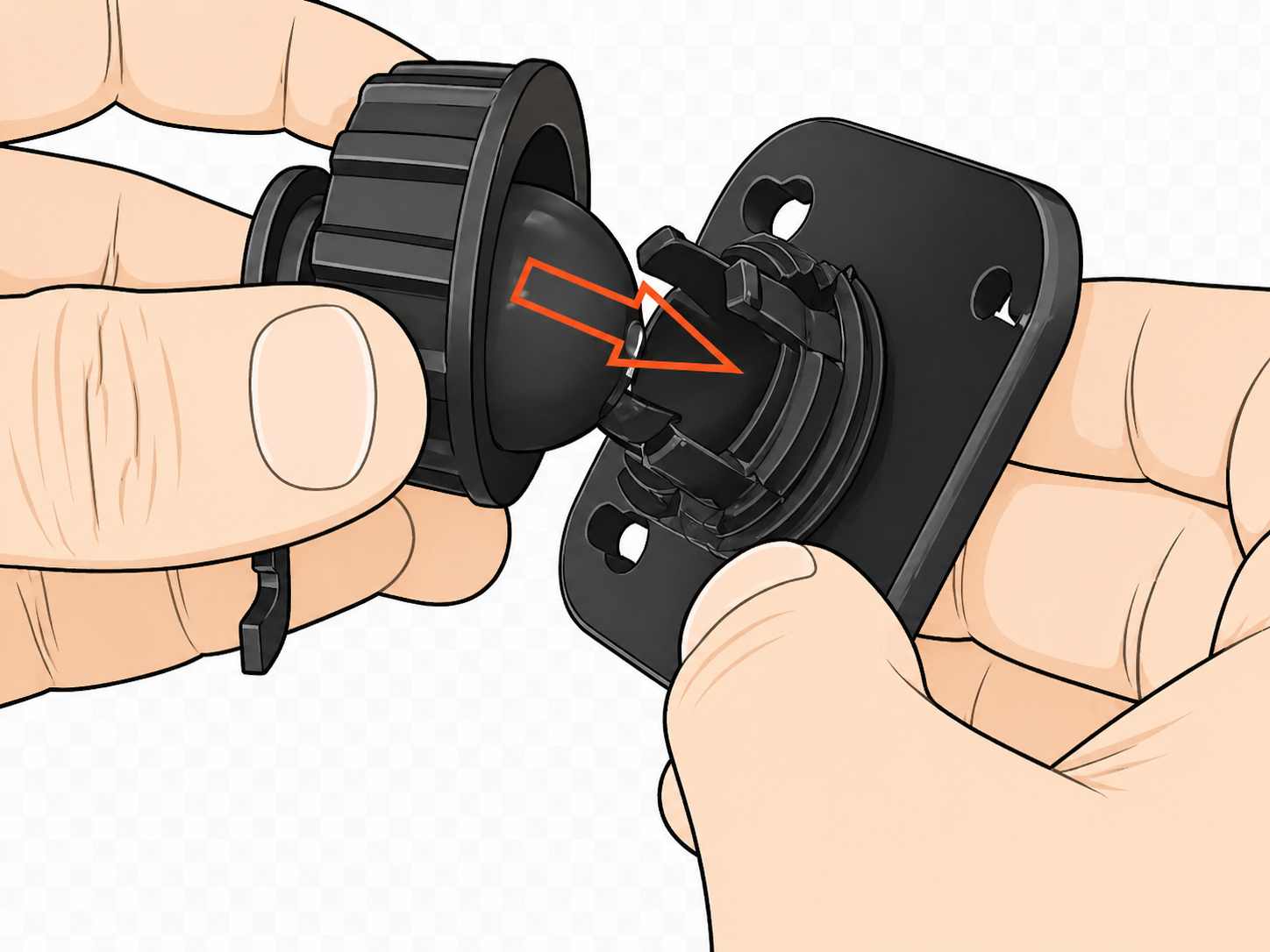
- Insert the ball into the nut.
- Press the ball into the mounting plate socket.
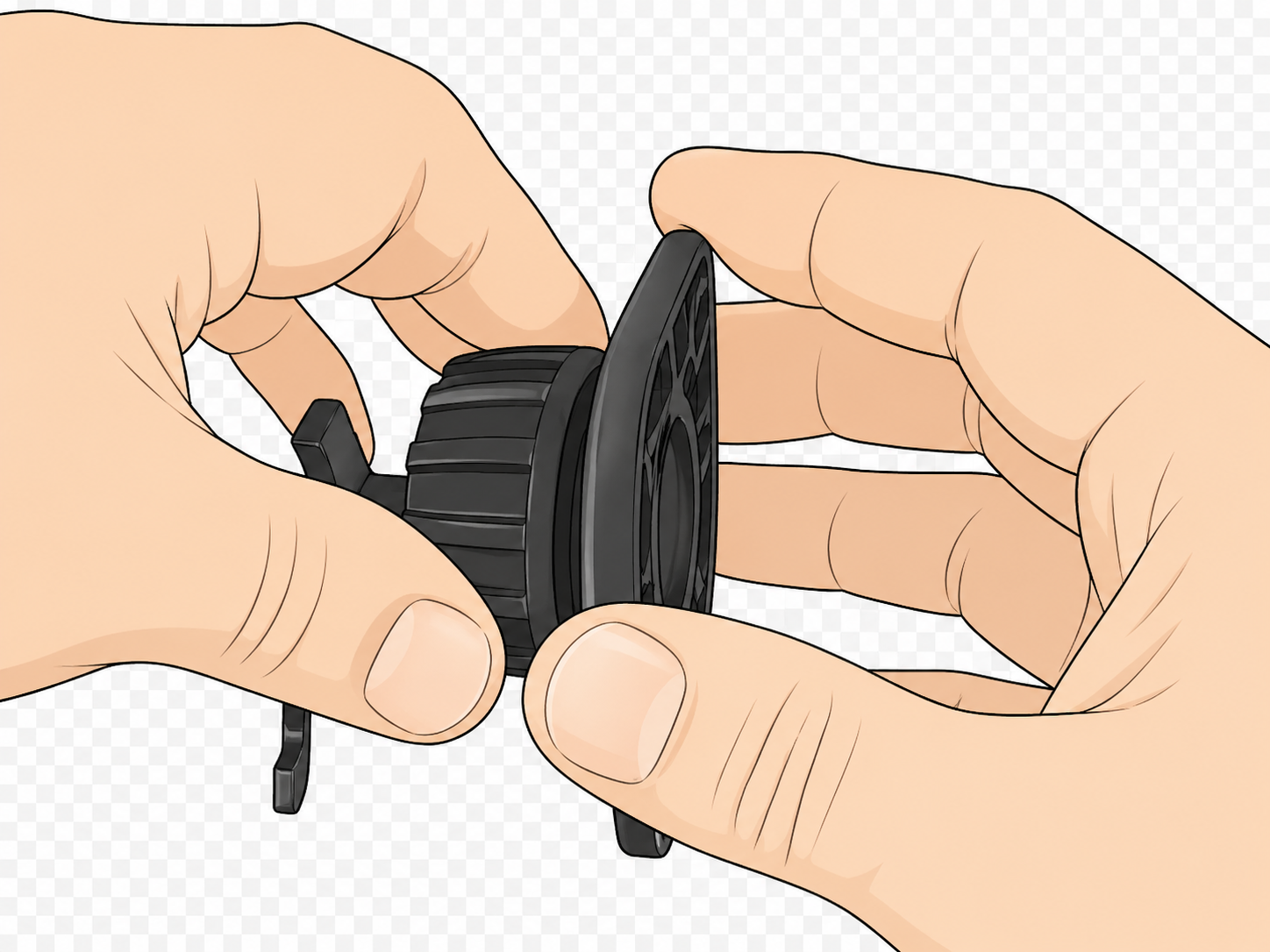
- Tighten the collar to lock the assembly.
- Screw the mounting plate securely to a wall or post.
- Slide the Sensor onto the bracket until it locks.
App Alerts
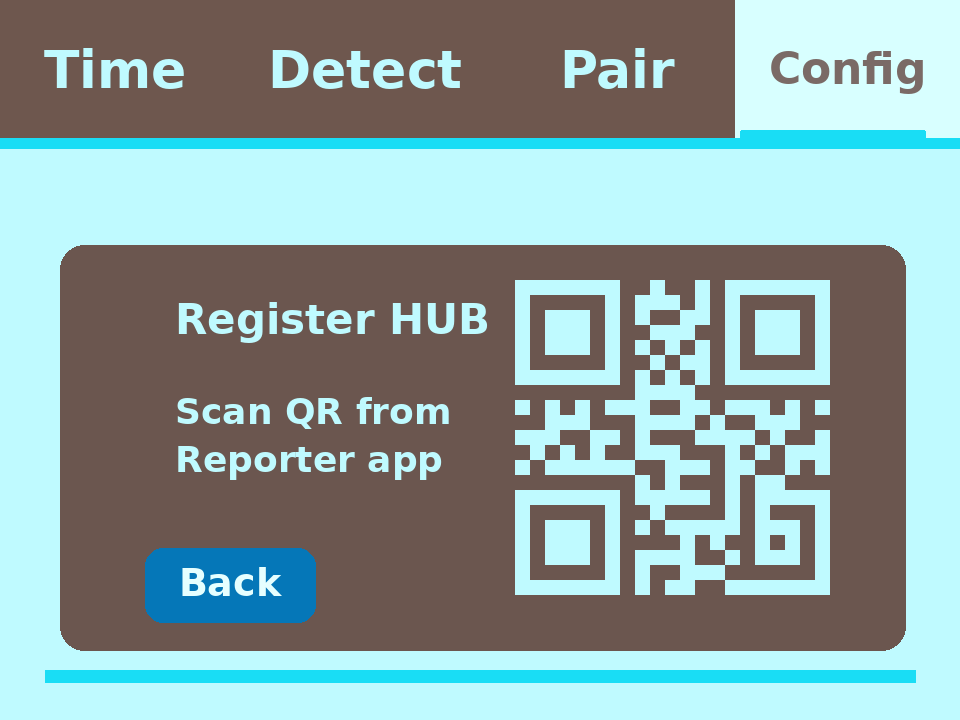
- Normal Hub alerts do not require Wi-Fi.
- Mobile App Alerts require the Hub to be near your Wi-Fi router.
- Download the Reporter App from the QR page.
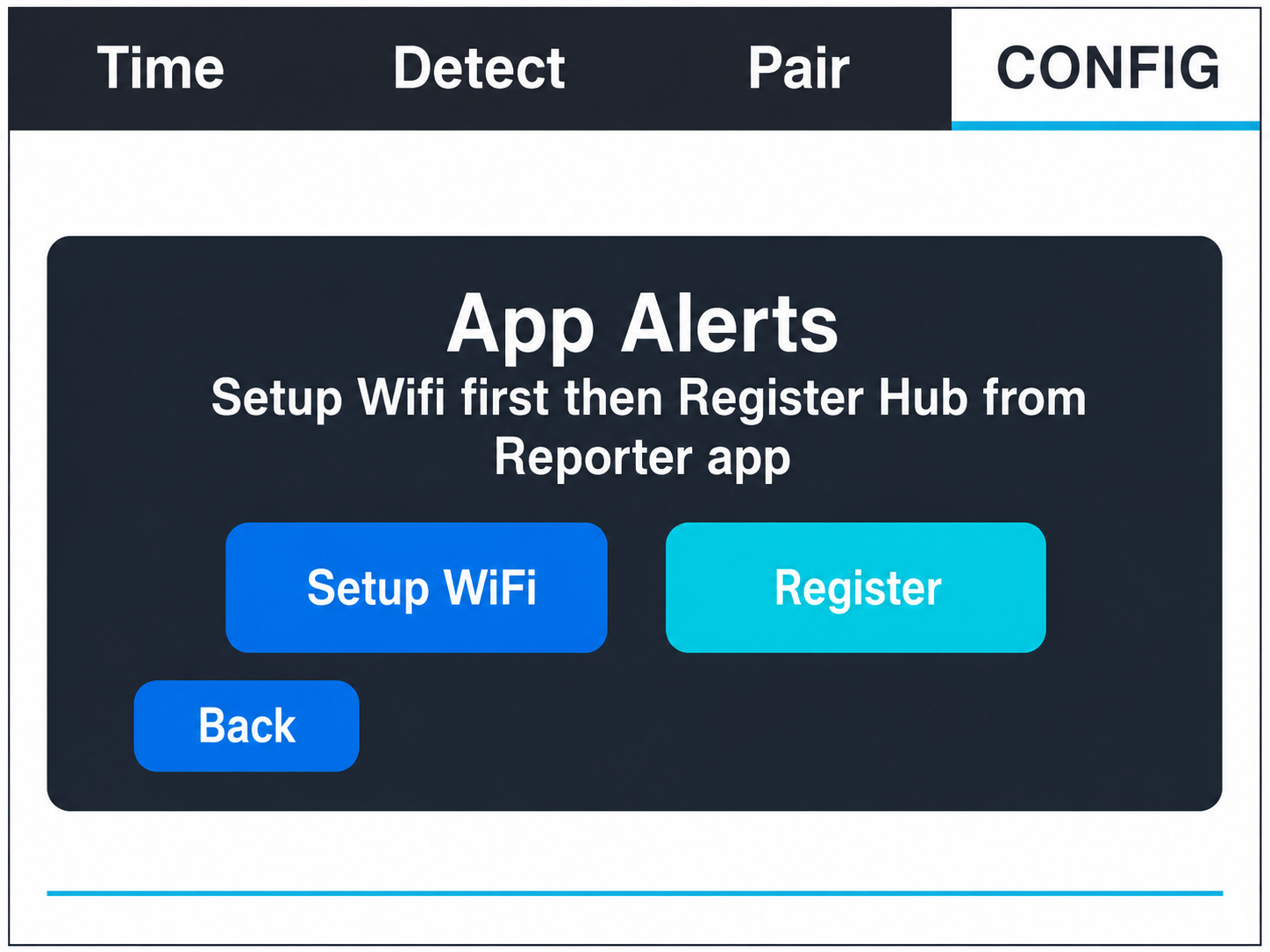
- On the Hub, go to Settings, Config, then App Alerts.
- Connect the Hub to Wi-Fi, tap Register, then scan the Hub QR code in the mobile app.
Detection Settings
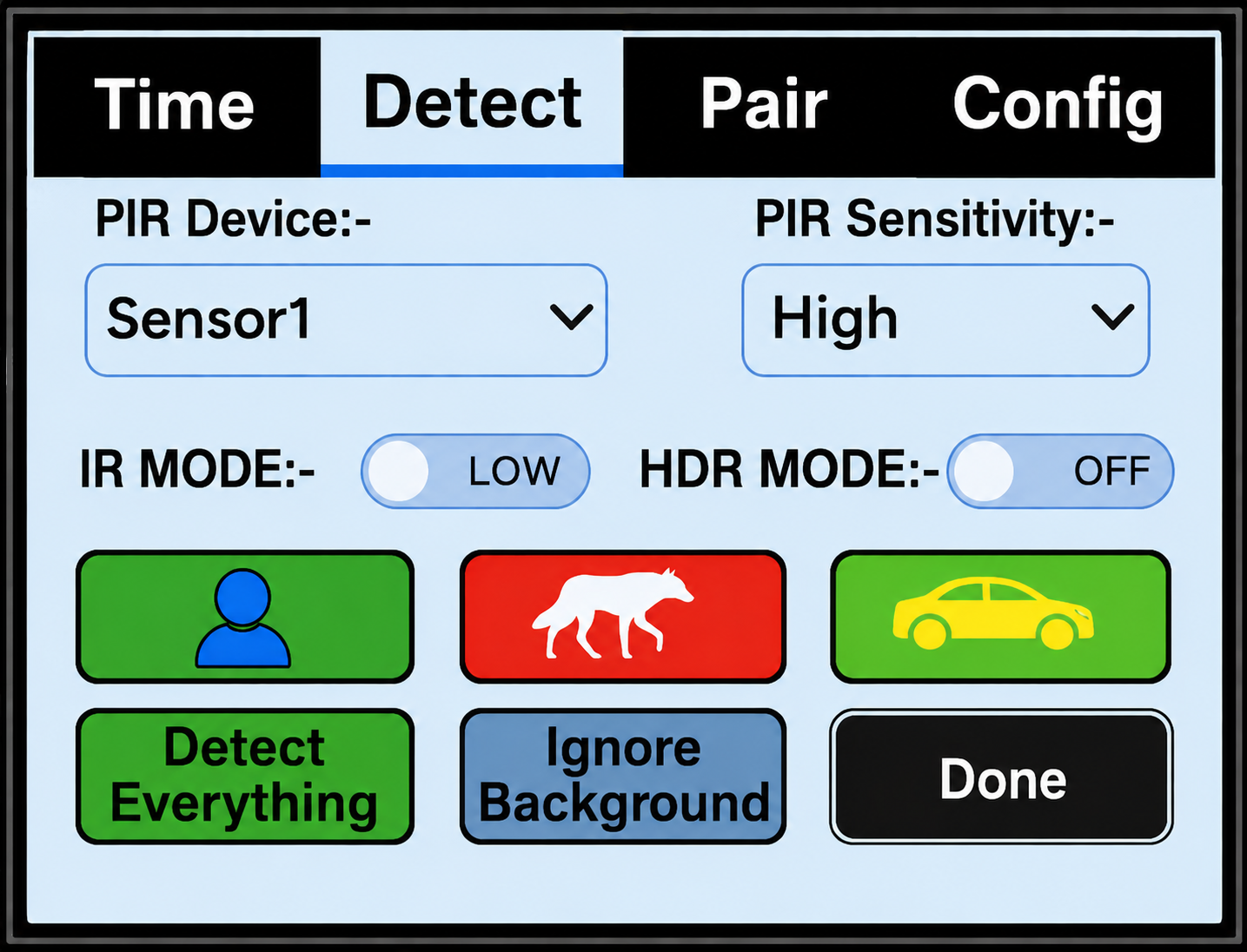
- Go to Settings, then Detect.
- Choose Human, Animal, and/or Vehicle alerts for each Sensor.
- Green means alert for that type. Gray means ignore that type.
- Use Detect Everything when testing or when you do not want to miss any activity.
- Use PIR Sensitivity and Ignore Background to tune missed alerts or nuisance alerts.
Download Saved Images
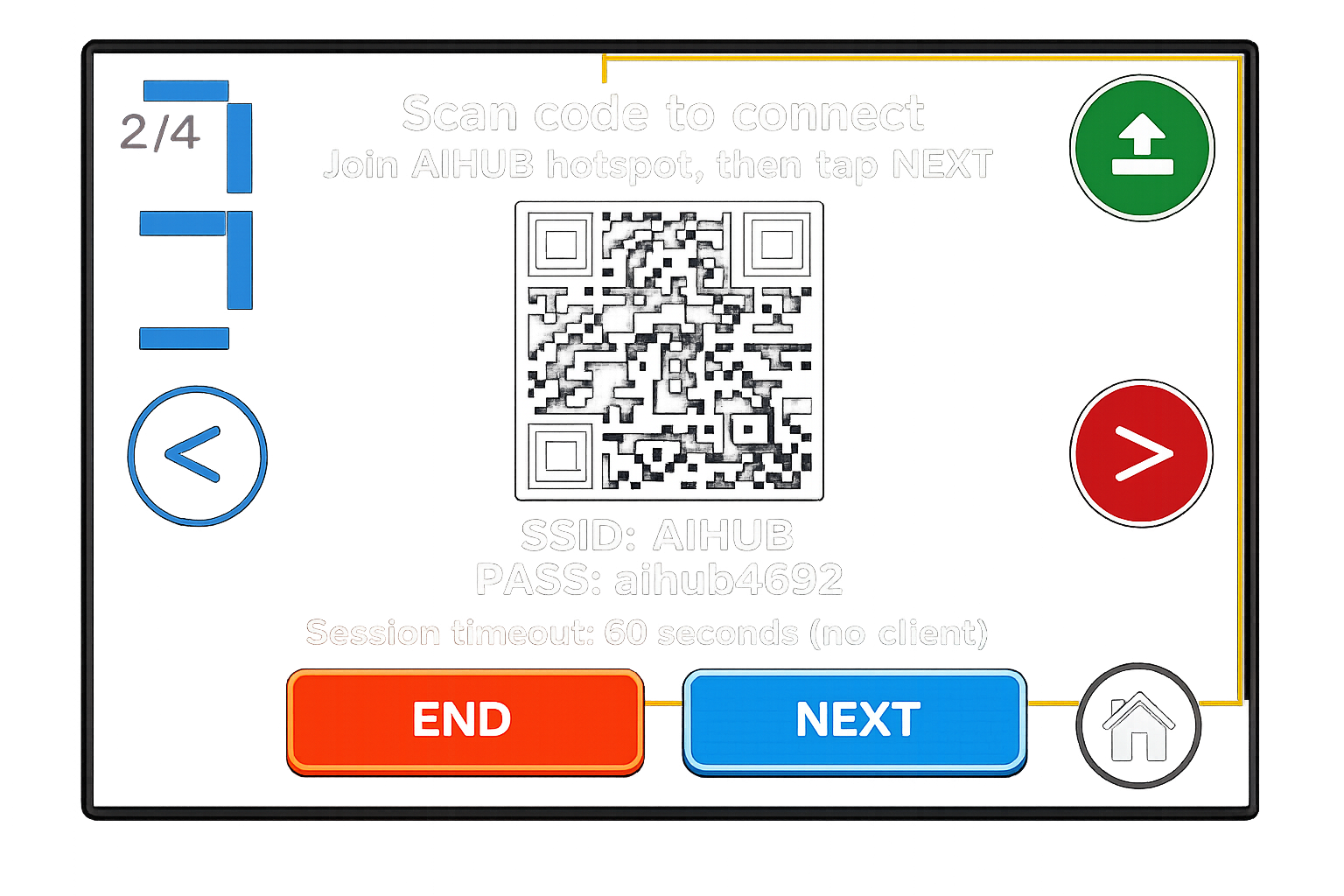
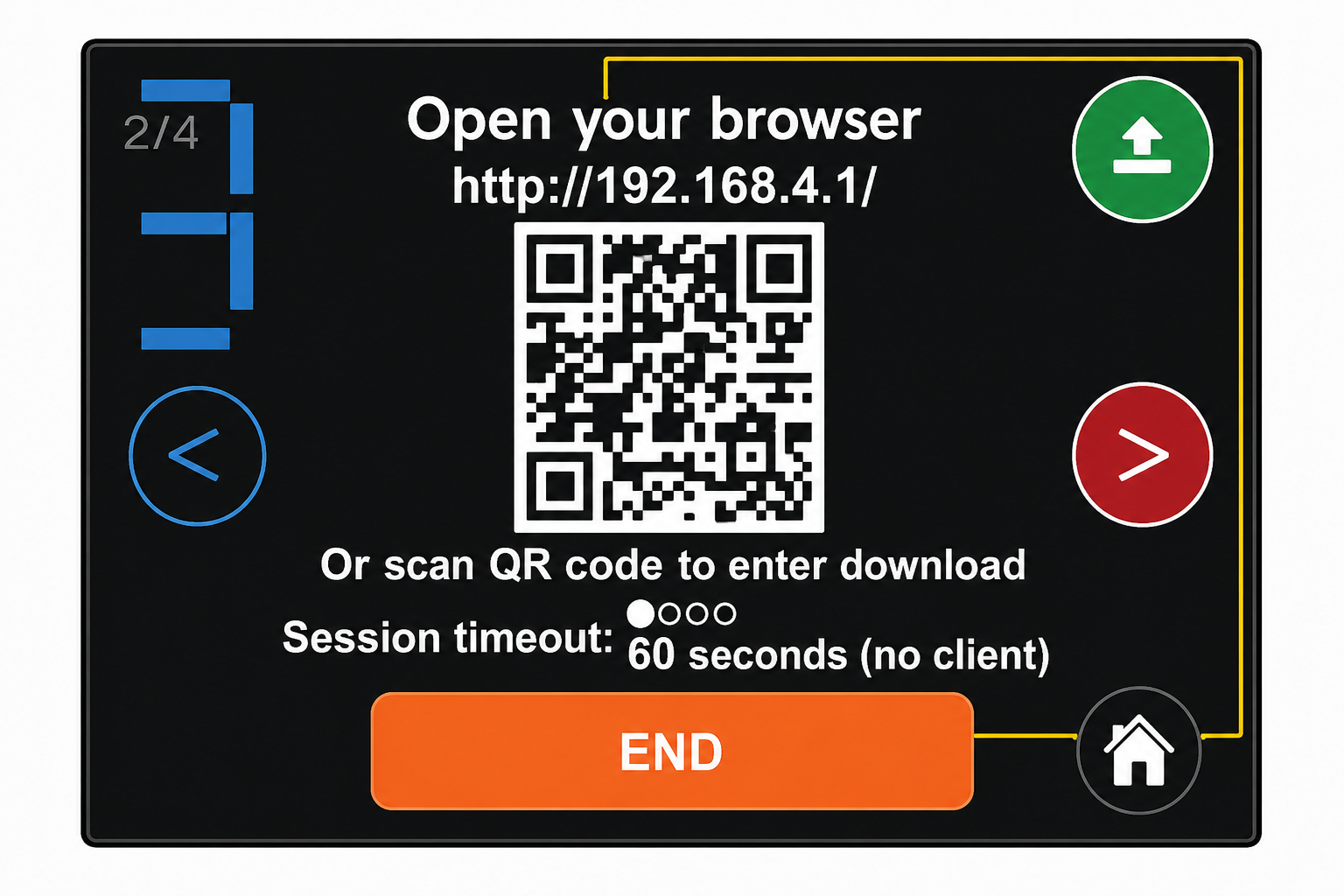
- Put your phone in Airplane Mode, then turn Wi-Fi back on.
- Open a saved image on the Hub and tap the upload icon.
- Scan the first QR code to connect to the Hub Wi-Fi.
- Scan the second QR code to open the image gallery.
- Save the images you want.
Batteries and Range
- Hub uses 4 AA batteries for backup power.
- Sensor uses 2 C-cell batteries.
- Use quality alkaline batteries in normal weather.
- Use lithium 1.5V C-cell batteries for very cold temperatures.
- For best range, keep both antennas vertical and use line-of-sight when possible.
Troubleshooting
Fix Common Issues
Important Notes
- One Hub supports up to 25 Sensors.
- Sensor memory can store up to 100 images if the Hub is out of range, then send them later when reconnected.
- Daytime grass and leaves may look reddish. This is normal for the infrared-capable camera.
- Night images are black-and-white infrared and are intended for identification, not high-detail photography.
- The Sensor is weather-resistant, but avoid direct sprinkler spray into the front.
- Do not interrupt software updates.
Warranty & Safety
Reporter AI products include a one-year limited warranty for the original purchaser. Misuse, improper installation, wrong batteries, water damage beyond normal weather exposure, physical damage, unauthorized repair, and battery-related damage are not covered.
Use only recommended battery types. Do not mix old and new batteries. Remove batteries before long-term storage and recycle batteries according to local rules.
Still Need Help?
Contact Reporter Support
Questions about setup, pairing, sensor placement, or an order? Send our support team a message.