Wireless Driveway Alarm Range: Detection Distance vs. Alert Transmission
A driveway alarm has two ranges: how far its sensor detects activity and how far it sends an alert to the hub. Learn what each means before installing one.
When you shop for a long-range driveway alarm, range can describe two different distances. The first is how far from the outdoor sensor a person or vehicle can trigger detection. The second is how far the sensor can send the resulting alert and image to the indoor hub. Choose the sensor location for the activity you need to catch. Then find an indoor hub location where its alert reaches you reliably. A strong radio link does not make the motion detector see farther down the driveway.
Detection range: from the sensor to the activity
Reporter Ai's instruction-manual diagram shows a motion detection distance of up to about 60 feet for people and vehicles and up to about 30 feet for small animals. These are approximate guides, not a promise that every target will trigger at the edge of the illustrated area. Target size, movement, mounting height, aim, and site conditions all matter.
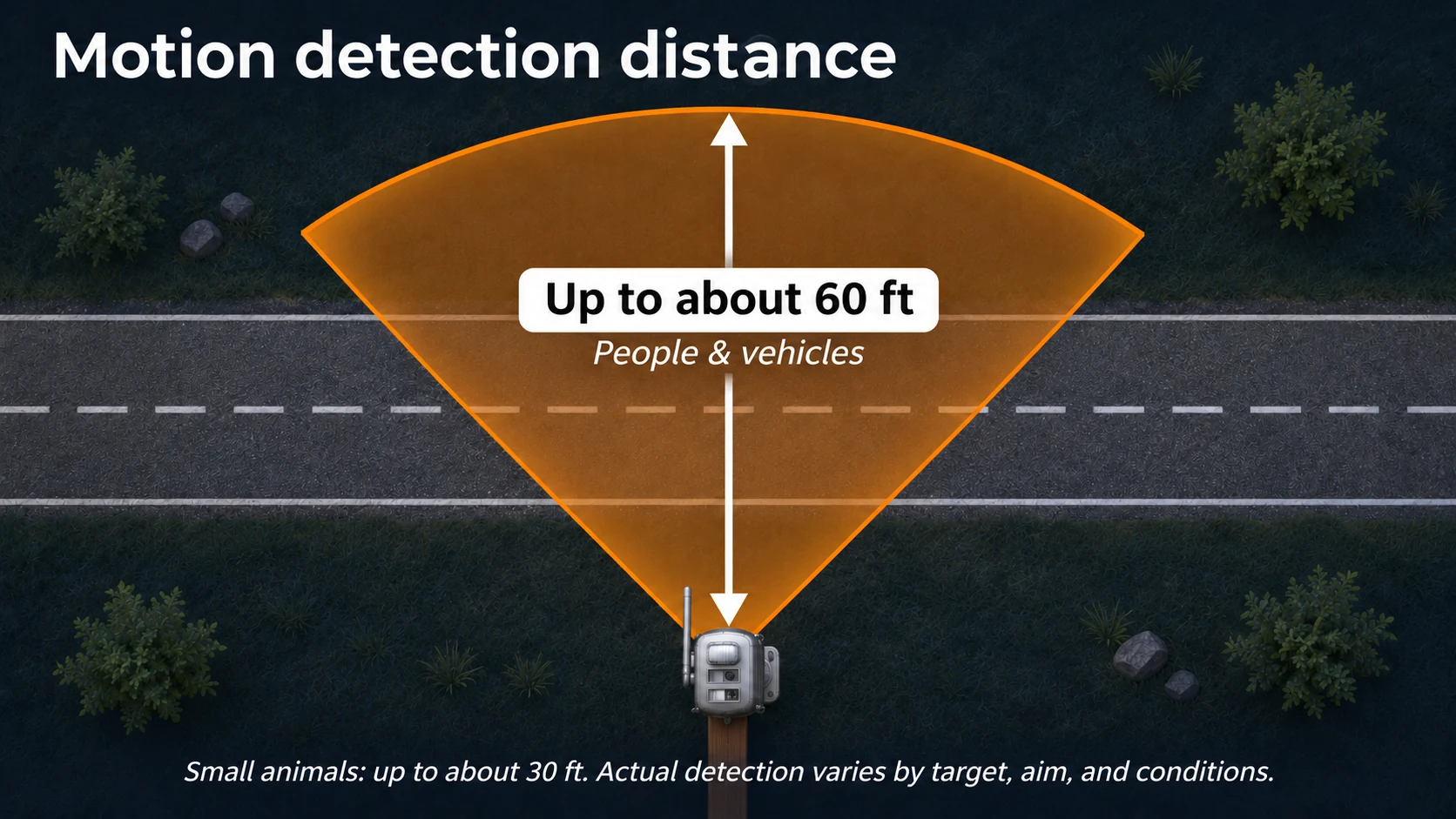
The outdoor sensor uses passive infrared (PIR) motion detection to wake up and capture a still image. The manual recommends aiming across the driveway or path when possible, so an approaching target moves through the detection field rather than straight toward the sensor. Mount the sensor level or slightly downward, follow the manual's height guidance for the targets you care about, and keep branches or tall grass out of its view. See the sensor placement guide.
For a long driveway, decide where an arriving vehicle or person should trigger the alert: perhaps at the entrance, a gate, or a bend in the lane. Mount the sensor to watch that point, with a clear view across the expected path. The detection need determines its location and aim.
Alert transmission range: from the sensor to the hub
After detecting activity, Reporter Ai classifies the image as a person, vehicle, or animal and sends the event to the indoor hub. Its sensor-to-hub wireless link has been tested at 1,000 meters in open air. This number describes communication distance, not motion detection distance. Actual range on a property depends on terrain, buildings, metal, interference, antenna orientation, and placement. Review the specifications.
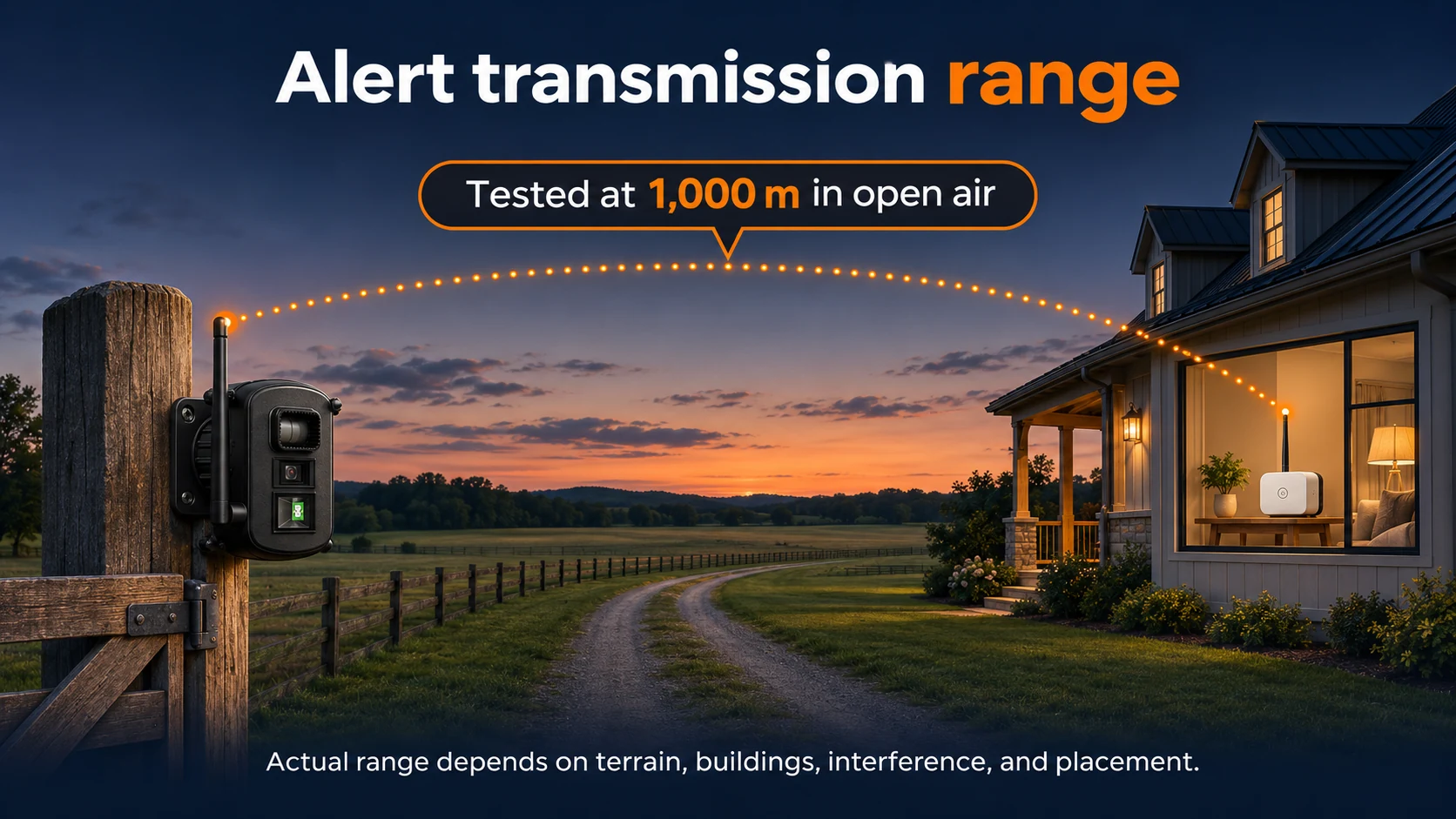
The instruction manual says to keep both the sensor antenna and hub antenna vertical. With the sensor at the detection point you selected, try indoor hub positions that give the radio link a clear path. An indoor position facing the sensor, such as near an exterior window, may help; test it rather than assuming it will. Walls, large metal objects, and appliances can weaken the link. Do not treat the open-air test distance as a guaranteed distance through a house or across wooded terrain.
If images do not arrive reliably, check the hub's signal indicator and try moving the hub a few inches or to another indoor position. Keep it away from large metal objects and, where practical, away from Wi-Fi routers. If you want optional phone notifications, the hub must also have a working Wi-Fi connection to your router; the outdoor sensor itself does not need Wi-Fi. Choose a hub position where the sensor-to-hub link and, if used, the Wi-Fi connection both work. Read about local and phone alerts.
Test both ranges before final mounting
First pair the sensor and hub within about three feet, as the setup instructions direct. Confirm that the hub receives an image. Next, temporarily position the sensor at the outdoor point you need to monitor, with its antenna vertical. Walk or drive through that area and adjust the sensor's aim until it detects the intended activity.
Now try the hub in practical indoor locations, keeping its antenna vertical. At each location, trigger the sensor from its chosen outdoor point and check that its image reaches the hub promptly. Use the hub's signal indicator and repeat the test several times before settling on a hub position. If you use phone alerts, verify the hub's Wi-Fi connection there too. Then secure the sensor at the selected detection point and repeat the final image-delivery test.
The sensor can retain images temporarily if it is out of hub range and send them after reconnection. That is useful for later review, but a location that only delivers images after reconnection cannot provide the timely arrival alert most driveway owners want.
Where must the sensor detect an arrival, and where indoors can the hub receive that alert reliably? Reporter Ai is designed to connect those two jobs: image-based detection at the location you choose and a useful local alert indoors. Explore the Reporter Ai driveway alert system.
Summon Gear
Practical guides from the team behind Reporter Ai Wireless Alert.